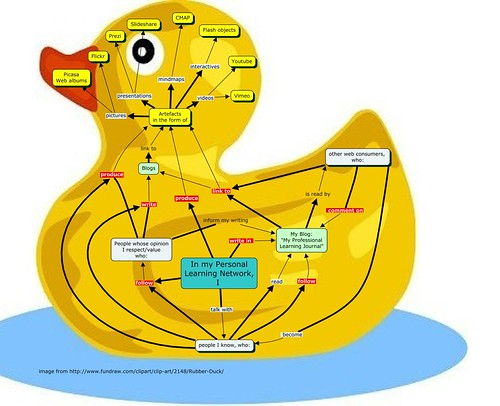
I have been asked about the header image for this blog. The ilustration depicts French inventor Jacques de Vaucanson’s Digestive Duck, an automaton he created in 1738. (In case you find this intriguing you might like to read Stanford researcher Jessica Riskin’s article on the eighteenth-century mechanical wonder.)
This image (or other media file) is in the public domain because its copyright has expired and thanks to Wikimedia Commons , a database of freely usable media files, it is available to me.
 Apart from the fact that images can help make things look more attractive ( and that in itself should be reason enough!) they play a significant role in learning. Why are images important? Professor Richard E. Mayer, Department of Psychology at University of California spent many years researching how we learn and how multimedia can help us learn.
Ruth Clark has condensed some of the principles in her 2002 article for the elearning Developer’s Journal: “Six Principles of Effective e-Learning: What Works and Why“.
To improve understanding images should:
- correspond with a concise text outlining key points
- be embedded in a well structured environment
- not contain unnecessary detail that could detract attention or confuse
- be used consistantly
My favorite resources for free good quality images
I consider a good resource a site that is clutter free, has a good search functionality and I don’t have to worry about viruses and receiving spam e-mail for the rest of my life.
- I mentioned Wikimedia Commons as a great source for free-use images, sound and other media files.
- Iconfinder is a search engine for high quality icons. The search options allow to select icons that are allowed for commercial use.
- FlickrCommons: many Flickr users have chosen to offer their work under a Creative Commons license, and you can browse or search through content under each type of license.
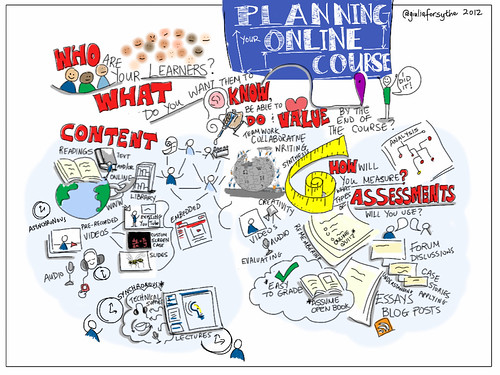
You don’t need to be an artist to draw your own illustrations
 Dan Roam, author of “The Back of the Napkin” shows it does’t take fancy drawing skills to make your point. Visit his website for videos and more resources and get those napkins out! Online whiteboards can make a brilliant digital napkin and save scanning your sketches. Excellent free web-based ready to go whiteboards are Twiddla, Scribblar or Dabbleboard. Twiddla has a mathURL live equation editor and options for embedding widgets and documents.
Scribblar is a real-time multi-user whiteboard. It is also free and you don’t need to install anything on your computer. Registration is required but you can try a demo. Some of Scribblar’s great features are:
- Wolfram Alpha a knowledge engine for Maths, Science, Physics, etc.
- LaTeX equation editor
Dabbleboard provides a voice and video chat option.

 Explain Everything
This easy iPad app can help create annotate, animate, and narrate explanations and presentations. Explain Everything! Unfortunately not free but the price of A$2.99 seems reasonable for what you get. The app records on-screen drawing, annotation, object movement and captures audio via the iPad microphone. It is possible to import Photos, PDF, PPT, and Keynote from Dropbox, Evernote, Email, iPad photo roll and iPad2 camera. You can export MP4 movie files, PNG image files, and share the .XPL project file with others for collaboration.
Doodling is an incredible powerful tool for thinking and solving problems
Watch Sunni Brown’s TED talk on the power of doodling (5.51)